

How photographers can collect client reviews after every shoot

Updated: Sep 1
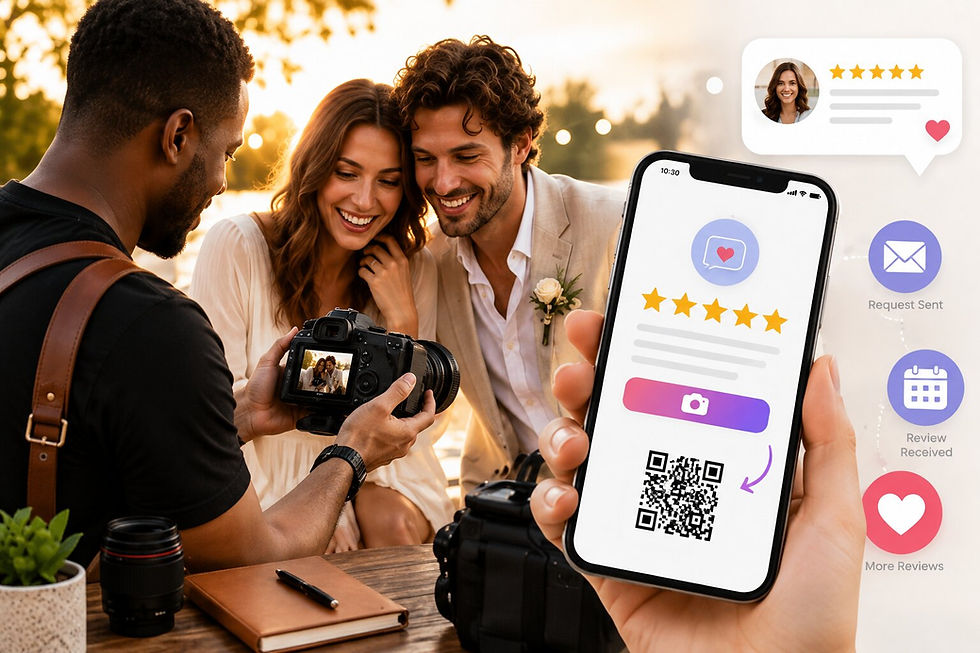
Booking a photographer is an emotional decision. Couples, families, and brands are trusting you with moments they cannot redo, so before they ever message you they scroll through your reviews to see how other people felt working with you. The catch is that the best time to ask for a review, right after a shoot or a gallery delivery when the client is thrilled, is also the busiest time for you, buried in editing and the next booking.
This post shows photographers a simpler way: let the review request go out automatically after every shoot, so the excitement turns into reviews instead of fading away. We will cover why reviews drive bookings, why the manual ask fails, and how to set it up in about two minutes.
Why photographer reviews book your next client
Photography is bought on trust and feeling. A potential client cannot fully judge your work from a portfolio alone, because they are not just buying photos, they are buying the experience of the day. Reviews are where they find out what that experience is actually like.
Recent, specific reviews also decide how easily you get found. They feed Google's local results and the AI tools clients increasingly use to find a photographer, and for wedding and event shooters they carry weight on the niche platforms where couples plan. A photographer with a steady stream of fresh reviews shows up more often, and feels safer to book, than one whose reviews trailed off a year ago. The numbers behind this are striking.
For a photographer, reviews are not flattery. They are bookings.
Why the ask keeps slipping
Most photographers know reviews matter. The problem is when and how to ask.
The natural moment is right after the shoot or when you deliver the gallery, while the client is still glowing. But that is exactly when you are deepest in editing, culling, and lining up the next session. By the time you surface, the client has shared their photos, the high has passed, and asking for a review feels like an afterthought.
Counting on yourself to remember the perfect moment, every single time, is a system that fails right when you are busiest.
The fix: ask automatically, right after every shoot
This is where Automated Feedback comes in. Instead of relying on you to remember, it sends the ask for you, the moment a shoot is marked complete.
You connect your scheduling tool once. When a session wraps, QuickFeedback emails the client a short, warm feedback request. They rate the experience, add a quick note, and reach a one-tap path to leave a public review. You stay focused on editing.
Because feedback comes to you privately first, you also hear how the day really felt for the client, which tells you what people love most about working with you and where to fine-tune. Every client, thrilled or not, reaches the same option to leave a public review. That is the heart of QuickFeedback: private feedback first, public reviews second.
A polished review, in the client's own words
Clients are not writers, and a blank review box can stall even a delighted one. If they want help, Write with AI (available on paid plans) turns their few words into a clear, natural review they can edit before posting. It stays their review, in their voice, and nothing is ever forced.
You can also choose where those reviews land. Review Link Rotation sends clients to up to three review sites you pick, so your reputation grows across Google and the other platforms your clients actually use, instead of everything stacking on one.
Doing it the right way, with no gating
To be clear, this is not review gating. Gating means filtering clients by how happy they are and only inviting the satisfied ones to post. Google bans that and now enforces it. QuickFeedback works the opposite way. Everyone is asked the same, after the shoot, and everyone reaches the same public review option at the same prominence. The private note just helps you improve. And because the request goes out after the session rather than on the spot, it stays on the right side of the platforms' rules.
Setting it up takes about two minutes
No hardware, nothing new to learn. Connect your scheduling tool, set how long after a shoot the email should send, and you are done. Automated Feedback is on every QuickFeedback plan, including the free plan (up to 10 automated requests a month). Calendly is supported today, Acuity is next, and SMS and WhatsApp delivery are coming soon.
Common questions
How do photographers get more Google reviews? Ask every client right after the shoot, the same way, and make it a one-tap step. Automated Feedback handles the asking for you by emailing the request once a session is marked complete, so you can stay in the edit.
Does this work for weddings, portraits, and brand shoots? Yes. The request sends as soon as a session is marked complete in your scheduling tool, so it fits any kind of shoot without changing how you book.
Will clients feel pressured? No. Every client shares private feedback first, then reaches the same simple option to post publicly. You get the private note either way, and no one is pushed.
The bottom line
Your happiest clients want to rave about you. They just need to be asked while the feeling is fresh, and you are too deep in editing to catch every one. Automating the ask after every shoot turns that goodwill into the reviews that book your next client, without taking you away from the work you actually love.
Ready to turn finished shoots into bookings? Start free. No credit card required, no hardware, set up in minutes.


