What are the benefits of using AI for customer feedback?

Updated: Aug 8

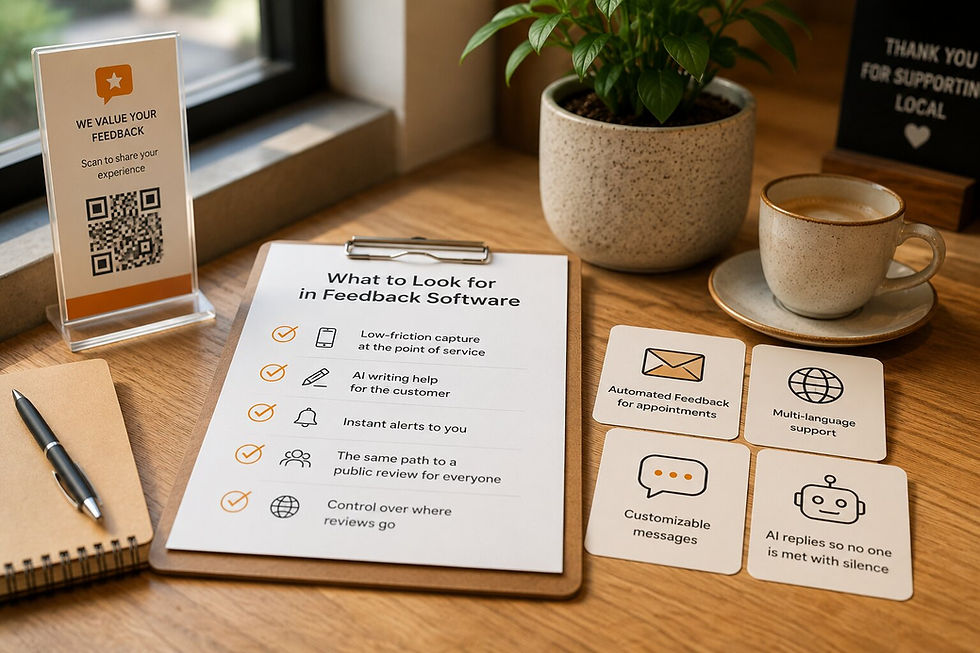
The main benefits of using AI for customer feedback are simple to state: more customers finish leaving feedback, every response gets acknowledged right away, patterns across many responses become easy to see, and replying to reviews takes seconds instead of minutes. AI does not decide anything for you. It removes the friction and the busywork around feedback so you can spend your time on the part that matters, which is reading what customers say and acting on it.
That is the honest version. AI in customer feedback is not magic, and a tool that promises it will is overselling. Below is what AI genuinely does well in this context, what each piece looks like in practice, and the places where it does not help at all.
Does AI help customers actually leave feedback?
Yes, and this is the benefit most owners underrate. The reason a happy customer does not leave feedback is rarely unwillingness. They tap into a comment box, face a blank field, cannot think of what to write, and close it. The blank box wins almost every time.
AI removes that wall. The customer types a few words about their visit, and the tool turns those words into a clear, complete message they can edit before sending. In QuickFeedback this is Write with AI (available on paid plans), and it sits in the comment box for every customer, happy or unhappy. The important part: the customer stays the author. The AI works from their words, and they can change anything before it is submitted. It is not writing fake feedback; it is helping a real customer say what they already meant to say.
Can AI make sure every customer gets a response?
This is where AI saves you on your busiest days. When feedback comes in during a rush, it is easy for a response to sit for hours or get missed. A customer who took the time to share something and hears nothing back feels ignored.
AI can acknowledge every response the moment it arrives and draft a reply that fits what the customer actually said, which you review rather than write from scratch. In QuickFeedback this is AI Auto-Reply. It reads the sentiment of the feedback and prepares a warm, relevant acknowledgement, so no customer is left hanging while you are busy on the floor. You stay in control of what goes out; the draft just means you are never starting from a blank page either.
How does AI help you spot what to fix?
One piece of feedback is an anecdote. Forty pieces of feedback are a pattern, and patterns are hard to see by reading messages one at a time in your inbox.
AI is good at this kind of summarizing. It can group responses by theme, flag when negative sentiment is trending up, and surface the issues that keep coming up so you are not relying on memory or gut feel. Instead of a vague sense that a few people mentioned the wait, you see that wait time is the recurring theme this month. That turns scattered comments into something you can act on.
A fair caveat: sentiment analysis is not perfect. It can misread sarcasm or an unusual phrasing. Treat it as a fast first pass that points you to what to read closely, not as a final verdict on any single response.
Can AI help you reply to public reviews too?
Yes, and this is a separate job from the feedback flow itself. Replying to public Google reviews matters for your reputation, but writing a thoughtful, non-generic reply to each one takes time most owners do not have.
AI can draft those replies. Paste in the review, get a reply that addresses what the customer actually wrote, edit it to sound like you, and post. QuickFeedback offers this as a free standalone tool, the Google Review Reply Generator, with no account required.
Keep one distinction clear: this tool replies to public reviews on Google, while AI Auto-Reply (above) handles the private feedback that comes through your own flow. They are different tools for different jobs.
How much time does AI actually save?
The honest answer is that it depends on your volume, and anyone quoting you a precise percentage is guessing. What is fair to say: the repetitive parts of feedback shrink. You are not writing every acknowledgement from scratch, not reading every response to find the theme, and not staring at a blank box when you reply to a review. For a busy owner, that is the difference between feedback being a chore you skip and a habit you keep.
Where AI does not help
This is the part most articles leave out. AI has clear limits in customer feedback, and knowing them keeps your expectations right.
It does not fix the problem. AI can tell you wait times are a recurring complaint. Shortening the wait is on you. The tool surfaces the issue; it does not solve it.
It does not replace reading. Summaries are useful, but the specific, surprising comment that changes how you run things is one you have to read yourself. Do not let the summary become the only thing you look at.
It should never write feedback the customer did not mean. Used well, AI polishes a customer's own words. Used badly, it puts words in their mouth. The first builds trust; the second is just fake feedback with extra steps.
It does not judge for you. AI drafts a reply; you decide whether it is right to send. The accountability stays human, and it should.
AI is a strong assistant and a poor replacement. The owners who get the most from it treat it as the thing that clears the busywork so they have more attention left for the judgment calls only they can make.
The AI features in customer feedback, side by side

Feature | Who it helps | What it does |
|---|---|---|
Write with AI (available on paid plans) | The customer | Turns a few typed keywords into a clear message the customer can edit before sending. Removes the blank-box problem. |
The owner | Reads the sentiment of private feedback and drafts an acknowledgement you review and send. | |
AI sentiment analysis | The owner | Groups responses by theme and flags trends, so patterns are visible across many responses. |
The owner | Drafts a reply to a public Google review. Free, separate tool, no account needed. |
Frequently asked questions
What is the biggest benefit of AI for customer feedback?
More customers actually finish leaving feedback. AI removes the blank-box problem by turning a customer's few words into a clear message they can edit, so responses that would have been abandoned get completed.
Does AI write fake reviews or feedback?
It should not, and a good tool does not. Used correctly, AI polishes the customer's own words and the customer stays the author and edits before submitting. That is different from generating feedback a customer never meant.
Is AI sentiment analysis accurate?
It is a useful fast pass, not a final verdict. It can misread sarcasm or unusual phrasing, so use it to find what to read closely rather than to replace reading the feedback yourself.
Can AI reply to my Google reviews?
It can draft replies you edit and post. QuickFeedback's Google Review Reply Generator is a free tool for public reviews, separate from the AI Auto-Reply that handles private feedback in your own flow.
Does using AI mean I stop reading my feedback?
No. AI handles the repetitive parts, but the specific comment that changes how you operate is one you should read yourself. AI is an assistant, not a replacement for paying attention.
The honest takeaway
AI is worth using for customer feedback because it gets you more responses, answers customers faster, and makes patterns visible, all of which are real and all of which save you time. It is not worth treating as a decision-maker. Read what your customers say, let the tools handle the rest, and change something because of what you learn. Start with QuickFeedback's free plan and see how much of the busywork disappears.