QuickFeedback vs Google Review Cards: What's the Difference?

Updated: Aug 8

Google review cards are everywhere, and for good reason. A customer taps a card or scans a QR code, your Google review page opens, and they can post in seconds. Removing that friction does increase review volume.
But a review card only does one thing. It is a shortcut to your Google review form, and its job ends there. It does not capture what customers actually tell you, help them write, or let you know a review came in.
QuickFeedback approaches the same moment differently. This guide compares the two honestly: what a Google review card does, what QuickFeedback does, and which one fits your business.
What a Google review card actually does
A Google review card is a physical card or stand with an NFC chip, a QR code, or both, pre-programmed with your Google review link. The customer taps or scans it, your Google review page opens on their phone, and they leave a rating and a review. No app, no searching for your business.
It is a clever, low-cost way to make leaving a review faster, and many businesses see more reviews after using one. The trade-off is that the card is only a doorway to Google. It does not collect feedback for you, it cannot help a customer who does not know what to write, and nothing reaches you when a review is left. Once the customer lands on Google, the card's job is done.
What QuickFeedback does differently
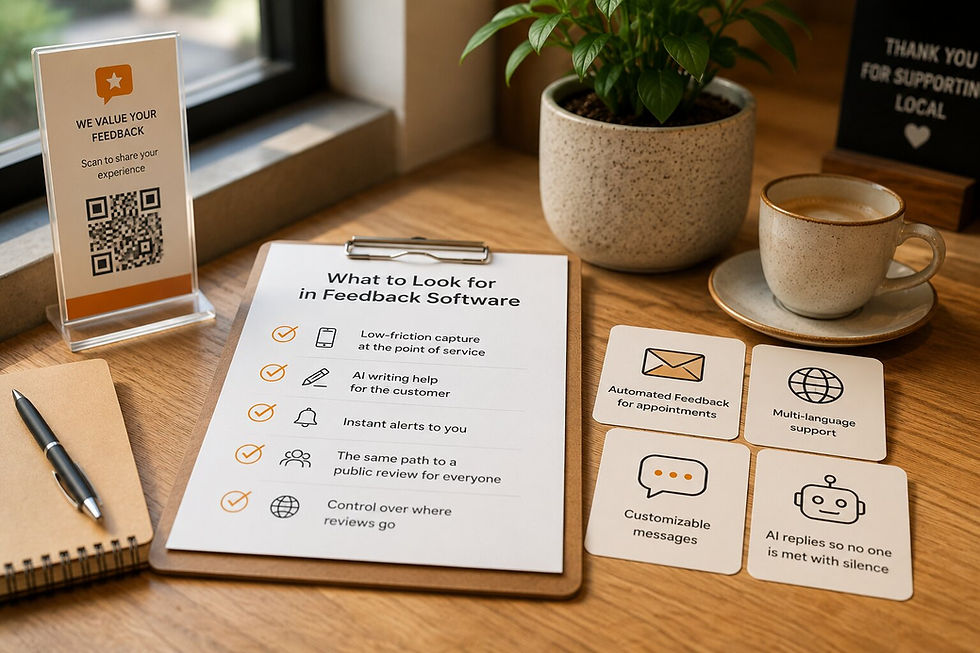
QuickFeedback is a feedback system, not a card. The scan is just the entry point. Behind it sits a short flow that does the work a card cannot:
The customer can share feedback privately first, in a quick box, and you see it the moment they submit.
Write with AI (available on paid plans) turns a few keywords into a clear review the customer can edit, so not knowing what to say is never the reason they stop.
You get an email alert the instant feedback arrives.
For appointment businesses, Automated Feedback sends the request by email automatically after a visit.
Every customer then reaches the same public review option at the same prominence, and Review Link Rotation can send that across up to three platforms, not Google alone.
And you are not stuck with one format. You can print the QR code on paper, add it to a receipt, or order a custom sign in the material you want, including NFC. So you keep the tap-or-scan convenience of a card, with a system behind it.
But isn't QuickFeedback just a QR code too?
It is a fair question, because both start with a tap or a scan. The difference is what the doorway opens onto.
A review card's doorway opens straight onto Google and stops. QuickFeedback's doorway opens onto a short flow that captures feedback, helps the customer write, alerts you, and then offers the public review. Same gesture for the customer, very different result for you.

QuickFeedback vs Google review cards, side by side
Feature | QuickFeedback | Google review cards |
|---|---|---|
How the customer reaches it | QR or NFC, printed or on a sign in any material you choose | NFC tap or QR scan on a physical card or stand |
What happens after the tap | A short flow: private feedback, writing help, then the public review | Opens your Google review form directly |
Private feedback you can see | Yes, the moment it is submitted | No, nothing is captured unless the customer posts publicly |
Writing help for the customer | Yes, with Write with AI (available on paid plans) | No |
Instant alerts to you | Yes, by email | No |
Automated requests after appointments | Yes, with Automated Feedback | No |
More than one review platform | Yes, rotates across up to three | Usually one fixed destination |
Physical option | Optional custom QR sign, free with any paid plan | The card or stand is the product |
Pricing | Free plan available; paid plans from $6 per month (Starter, billed yearly) | One-off purchase, no subscription |
To be fair: some review cards can be pointed at a platform other than Google, and a few add a basic scan count. The core difference holds. A card is a shortcut to a public review form, while QuickFeedback is a system that captures feedback and helps you act on it.
When a Google review card is enough
A review card is a fine choice if all you want is a faster path to your Google page, you already get plenty of reviews, and you do not need to hear from customers privately or be alerted. It is cheap, there is no subscription, and it works.
You will outgrow it the moment you want to do more than collect star ratings: hear what customers actually think, catch a problem the same day, help people write, or send reviews to more than one platform. That is where a system earns its place.
The bottom line
A Google review card removes friction from one step. QuickFeedback removes friction from the whole loop, from the scan to the feedback to the finished review, and tells you the moment something needs your attention. You can still deliver it as a tap or a scan, on paper or on an NFC sign, so you give up none of the convenience.
Start with the free plan. No credit card required, and every paid plan includes a free custom QR sign.