How personal trainers can collect client reviews after every session

Updated: Sep 1

Personal training is a word-of-mouth business. Before someone trusts you with their goals, their body, and their time, they look you up, and your reviews tell them whether other people stuck with you and got results. The tricky part is that the best moment to ask for a review, right after a great session when your client is fired up, is also the moment you are resetting the room and greeting the next client. So the ask gets skipped, session after session. This post shows personal trainers a simpler way: let the review request go out automatically after every session, so motivated clients actually leave the reviews that fill your schedule. We will cover why reviews drive new clients, why the manual ask fails, and how to set it up in about two minutes.
Why personal trainer reviews fill your schedule
Choosing a personal trainer is personal. A prospective client is deciding who to show up for at 6am, who will push them, and who they will trust through the hard parts. They cannot tell that from a price list, so they read reviews to find out what training with you is actually like.
Reviews also decide whether you get found. They feed Google's local results and the AI tools people now use to find a trainer nearby, and a steady flow of recent, specific reviews makes you look like the obvious choice. A trainer whose reviews dried up a year ago quietly slips down the list. The data behind this is hard to ignore.
For a trainer, reviews are not ego. They are a full calendar.
Why the ask never happens
Most trainers know reviews matter. The issue is the timing.
The end of a session is the perfect moment and the worst moment at once. Your client just hit a personal best and feels great, but you are wiping down equipment, resetting, and the next client is already walking in. The window closes in seconds. Try to remember to follow up later and it competes with programming, messages, and your own training.
A review system that depends on you catching that window, every single time, is a system that fails between sets.
The fix: ask automatically, right after every session
This is where Automated Feedback comes in. Instead of relying on you to remember, it sends the ask for you, the moment a session is marked complete.
You connect your scheduling tool once. When a session wraps, QuickFeedback emails your client a short, friendly request. They rate the session, add a quick note, and reach a one-tap path to leave a public review. You stay focused on the floor.
Because feedback comes to you privately first, you also learn how clients really feel about their progress and your coaching, which helps you keep them longer. Every client, whether the session clicked or not, reaches the same option to leave a public review. That is the idea behind QuickFeedback: private feedback first, public reviews second.
A polished review, in the client's own words
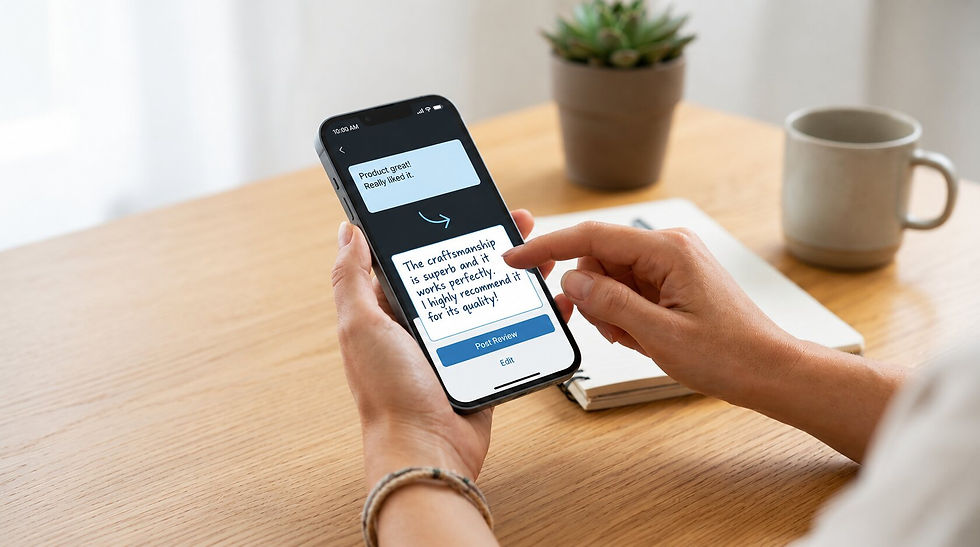
Your clients are great at training, not always at writing. A blank review box can stall even someone who loves working with you. If they want help, Write with AI (available on paid plans) turns their few words into a clear review they can edit before posting. It stays their review, in their voice.
You also choose where those reviews go. Review Link Rotation sends clients to up to three review sites you pick, so your reputation builds across Google and the other places new clients look, instead of stacking on one.
Doing it the right way, with no gating
To be clear, this is not review gating. Gating means filtering clients by how happy they are and only inviting the satisfied ones to post. Google bans that and now enforces it. QuickFeedback does the opposite. Everyone is asked the same way, after the session, and everyone reaches the same public review option at the same prominence. The private note only helps you improve. And because the request goes out after the session rather than while a client is catching their breath in front of you, it stays on the right side of the platforms' rules.
Setting it up takes about two minutes
No hardware, nothing new to learn. Connect your scheduling tool, choose how long after a session the email sends, and you are done. Automated Feedback works on every QuickFeedback plan, including the free plan (up to 10 automated requests a month). Calendly is supported today, Acuity is next, and SMS and WhatsApp delivery are coming soon.
Common questions
How do personal trainers get more Google reviews? Ask every client right after the session, the same way, and make it a one-tap step. Automated Feedback does the asking for you by emailing the request once a session is marked complete, so you can stay on the floor.
Does this work for online and in-person training? Yes. The request sends as soon as a session is marked complete in your scheduling tool, whether you trained the client in the gym or over video.
Will clients feel pressured? No. Every client shares private feedback first, then reaches the same simple option to post publicly. You get the private note either way, and no one is pushed.
The bottom line
Your clients are never more motivated than right after a session that went well, and that is exactly when a quick review feels easy to them. You are too busy to catch that moment every time. Automating the ask after every session turns that energy into the reviews that fill your schedule, while you stay focused on coaching.
Ready to turn great sessions into new clients? Start free. No credit card required, no hardware, set up in minutes.